Vertical Video Safe Zones: The 2026 Numbers, Checked
The Reels safe box is 950 by 979 pixels, not the 1010 by 1280 everyone copies. Every published margin for Reels, TikTok and Shorts, checked.

The safe box for an Instagram Reel is 950 by 979 pixels, not the 1010 by 1280 that half the internet publishes. Both numbers come from pages citing the same Meta help article. Only one of them survives the arithmetic on the page it is printed on. The other is a Stories box wearing a Reels label, and it tells you a 300 pixel band at the bottom of your frame is safe when it is not.
Here is every published margin for Reels, TikTok and Shorts as of 31 August 2026, where each number comes from, which ones contradict each other, and the single box that survives all of them.
What actually covers a vertical video?
A safe zone is the part of a 1080 by 1920 frame that the app's own interface does not sit on top of. In feed placements nothing covers the image: the account name renders above it and the button renders below. In Reels, TikTok and Shorts your video fills the whole screen and the interface is painted over it.
Three things eat the frame. The top strip carries the account name, the sound label and the system clock. The right column carries like, comment, share, save and the audio disc. The bottom carries the caption, the progress bar and, on ads, the call to action button. Auto captions are now on by default on all three, and they land in the same bottom band as everything else.
This is why the failure is invisible. The video plays, the impression counts, the spend clears. The only thing missing is the line you wrote.
What does Meta publish for Reels?
Meta's guidance is stated in percentages rather than pixels: keep text, logos and faces out of the top 14 percent, the bottom 35 percent, and 6 percent on each side. Both of the pages below attribute those figures to the same Meta Business Help Center article on text overlays and safe zones for Stories and Reels.
Run the percentages against a 1080 by 1920 frame and the answer is forced:
- Top: 14 percent of 1920 is 268.8, so 269 pixels.
- Bottom: 35 percent of 1920 is 672 pixels.
- Each side: 6 percent of 1080 is 64.8, so 65 pixels.
- What is left: 1080 minus 130 gives 950 wide. 1920 minus 269 minus 672 gives 979 tall.
So the Reels safe box is 950 by 979 pixels, sitting from x 65 to x 960 and from y 269 to y 1248. Lucid Media publishes exactly this, dated 10 May 2026, as 950 by 980 with a 270 pixel top, a 670 pixel Reels bottom and 65 pixel sides.
Then why does everyone publish 1010 by 1280?
Because 1010 by 1280 is a Stories box, and it got copied onto Reels pages.
House of Marketers, modified 8 May 2026, prints the same 14 percent, 35 percent and 6 percent margins and then states the result is a central 1010 by 1280 core. Those two claims cannot both be true on the same page. A 1010 pixel width implies side margins of 35 pixels, which is 3.2 percent, not 6. A 1280 pixel height implies 640 pixels of combined top and bottom margin, which is 33 percent of the frame, not the 49 percent the page itself just specified.
Ignite Social Media, updated 7 July 2026, is at least internally consistent: it gives 1010 by 1280 with a 220 pixel top and a 420 pixel bottom, and 1920 minus 220 minus 420 does equal 1280. But a 420 pixel bottom is 21.9 percent, not 35. That is the Stories geometry. Lucid's Stories figure, 950 by 1270 off a 380 pixel bottom, is the same shape.
The difference between the two is not academic. Reels carries the like, comment, share, save and audio stack that Stories does not, and that stack is worth roughly 290 extra pixels at the bottom. Design to 1280 tall and your closing line, your offer, or your name sits under it.
Kreatli's safe zone hub, one of the most visible pages on this query, hedges differently again: roughly 108 from the top and roughly 320 from the bottom for Reels. Those are the numbers other guides assign to TikTok.
What does TikTok publish?
TikTok does not publish a pixel safe zone, and says so in effect: the interface changes with caption length and ad format, so there is no single fixed box. Its practical guidance is to centre key visuals, avoid the bottom fifth where the caption and progress bar sit, and avoid the right edge where the engagement column sits.
The pixel figures in circulation for standard 9:16 TikTok creative are 108 from the top, 320 from the bottom, 60 from the left and 120 from the right, which leaves 900 by 1492. Treat those as a widely republished working estimate rather than a TikTok specification, because TikTok has not printed them.
The right margin is the one people miss. TikTok's engagement column is wider than Meta's, so a 65 pixel side margin that is fine on a Reel clips a logo on TikTok.
What does YouTube publish for Shorts?
No pixel numbers at all. What YouTube ships instead is a tool inside its own editor, and it is the only official safe zone feature of the three worth using.
From YouTube's own Help documentation on enhancing Shorts: as you move your text or stickers, visual guides appear showing where elements like the like button, comments and video description might appear for viewers. The page adds that dragging an overlay too close to the edge makes animated white lines appear, signalling a non safe area where content might be partially hidden on some devices.
That is genuinely useful and it is also a trap for anyone editing outside the app. The guides only exist if you add the text in the YouTube editor. Burn your text in during the edit, which is what almost every founder video does, and you never see them.
Published third party estimates for Shorts run around 380 pixels top and 380 bottom. Nothing traces those to Google, so this reference does not treat them as spec. It does use the 380 top as the conservative case below, because it is the largest top margin anyone publishes for any of the three platforms.
What box is safe on all three?
Take the largest published margin on each edge and intersect them. Two boxes come out of that, and which one you want depends on how much you trust numbers nobody official has printed.
The traceable box: 895 by 979
Built only from margins that trace to platform guidance. Meta Reels gives 269 top, 672 bottom and 65 sides. TikTok's working estimate gives 120 on the right, which is wider than Meta's 65. Take the larger of each:
- Top margin 269, bottom margin 672, left margin 65, right margin 120.
- Safe box: 895 pixels wide by 979 pixels tall.
- Position on a 1080 by 1920 canvas: x 65 to x 960, y 269 to y 1248.
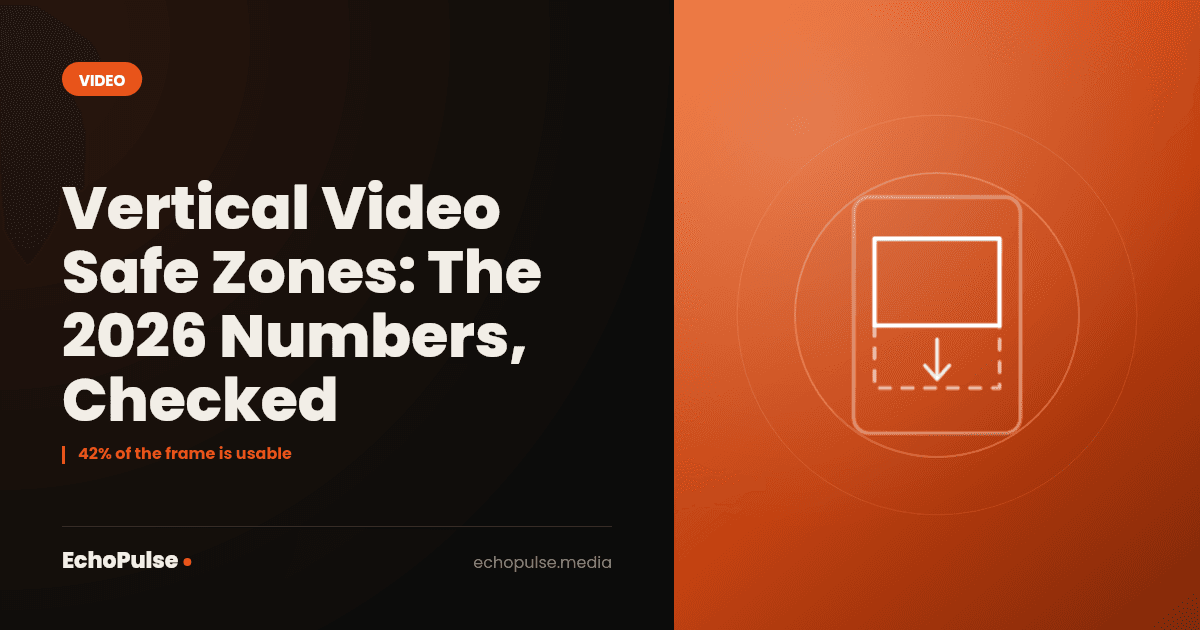
- That is 42 percent of the frame. The other 58 percent is background.
The conservative box: 895 by 869
Add the 380 pixel top that Shorts guides publish and the box loses another 111 pixels of height. Safe box 895 by 869, sitting from y 380 to y 1249, which is 37.5 percent of the frame. Use this one if you are posting the same file to all three and you will not be checking it in each app.
Either way, the useful sentence is the one nobody writes: obey every published margin at once and roughly 40 percent of your frame is usable. Every guide that shows a large green rectangle in the middle of a phone mockup is showing you a Stories box.
Where should things actually go?
For a talking head founder video, which is the case most of these guides skip entirely:
- Eye line at roughly y 600 to 700. High enough to clear the caption stack, low enough that the top strip does not crowd your head.
- Burned in hook text at y 380 to 620. Below the account name row, well above the caption band. This is the only place a text hook is reliably visible on all three platforms.
- Lower third with your name and what you do: y 1050 to 1240 at the latest. Below that and Reels covers it.
- Nothing in the bottom 672 pixels. Not a logo, not a website, not a call to action. That band is background and nothing else.
- Captions: let the platform generate them, or burn yours in no lower than y 1150. Two sets of captions stacked on top of each other is the most common thing wrong with a founder's Reel.
If you are producing at volume this belongs in the export template rather than in someone's memory. A founder video pipeline needs a written spec long before it needs a better camera.
How do you check before you post?
- Meta: open the ad preview in Ads Manager, edit the media and toggle the safe zone guardrail. A yellow overlay shows where the interface sits.
- TikTok: upload the draft to Ads Manager or Creative Center and look at the preview with a realistic caption length, not a two word one.
- YouTube: add a temporary text element in the Shorts editor and watch where the visual guides appear, then delete it.
- All three: post it to a private or unlisted draft and look at it on an actual phone. Emulators do not render the same overlays, and neither does a laptop.
The phone check is the one that catches everything, and it takes about forty seconds.
Frequently asked questions
What is the safe zone for Instagram Reels in pixels?
950 by 979 pixels, centred on a 1080 by 1920 frame, running from x 65 to x 960 and y 269 to y 1248. That follows directly from Meta's published margins of 14 percent top, 35 percent bottom and 6 percent per side. The commonly published 1010 by 1280 is a Stories figure and is about 300 pixels too tall for Reels.
Is the TikTok safe zone the same as Instagram Reels?
No. TikTok's engagement column on the right is wider, so it needs about 120 pixels of right margin against Meta's 65. TikTok's bottom band is smaller, around 320 pixels against Meta's 672. A file designed for Reels will usually survive TikTok. A file designed for TikTok often loses its bottom third on Reels.
Does YouTube publish a Shorts safe zone?
Not in pixels. YouTube ships visual guides inside the Shorts editor that show where the like button, comments and description will appear, and warns you with animated white lines if an overlay is too close to an edge. Those guides only apply to text added in the app, not to text burned in beforehand.
Can one video file work on all three platforms?
Yes, if you keep everything important inside 895 by 869 pixels positioned from y 380 to y 1249. That is roughly 37 percent of the frame, so plan the composition around it rather than trying to shrink an existing edit into it afterwards.
Key takeaways
- Instagram Reels safe box: 950 by 979 pixels, from Meta's own 14 percent, 35 percent and 6 percent margins.
- The widely published 1010 by 1280 does not follow from those percentages. It is Stories geometry and it is roughly 300 pixels too tall for Reels.
- TikTok publishes no pixel safe zone. The circulating 108 by 320 by 60 by 120 figures are a working estimate, not a specification.
- YouTube publishes no pixel figures either, but it is the only platform that ships safe zone guides inside its own editor. They only cover text added in the app.
- The box that clears both Meta Reels and TikTok published margins is 895 by 979, which is 42 percent of the frame.
- Add the largest published Shorts top margin and you are down to 895 by 869, about 37 percent.
- Check on a real phone with a realistic caption length. Every preview tool understates the caption.
Getting this right once, in the template
Safe zones are a five minute problem the first time and a permanent tax after that, because they have to be applied to every export by whoever is editing. EchoPulse builds this into the export template so the founder never thinks about it again. If a spec sheet is all you needed, take the numbers above and go.
Related: what a video editing team costs and what it should include, and how to get thirty pieces of content out of one recording session.
Next in this series: 25 short form video hooks for founders, and where the text has to sit for anyone to read it.