A free tool from EchoPulse Media
Offcut: Save and study the scripts behind videos.
A free Windows tool for video editors, content creators and scriptwriters. Save the transcript of a video you want to learn from, and see it split into hook, body and call to action. It runs on your PC, with no account and no uploads.
That is the whole instruction. Your agent reads echopulse.media/resources/offcut/agent.md and takes it from there.
The download is being prepared. Leave your email below and we will tell you when it is live.
Get the email- Free
- Runs on your PC
- No account
Sample transcript
Why I stopped checking my phone first thing
- Hook
I stopped checking my phone for the first hour of the day. Here is what changed.
- Body
For two weeks the phone stayed in another room until breakfast. I wrote down three things to get done, went for a short walk, and only then opened my messages. The mornings felt slower, and the rest of the day felt clearer.
- Call to action
Try it for one week, then tell me in the comments what you noticed.
What it does not do
No account
No account and no sign-in.
No uploads
Nothing is uploaded. Your transcripts stay on your PC.
Nothing runs when idle
No startup entry and no background process. Nothing runs when Offcut is idle.
Fixed rules, not AI
No AI model writes the breakdown. Hook, body and call to action are marked by simple, fixed rules.
Use cases
What people use it for
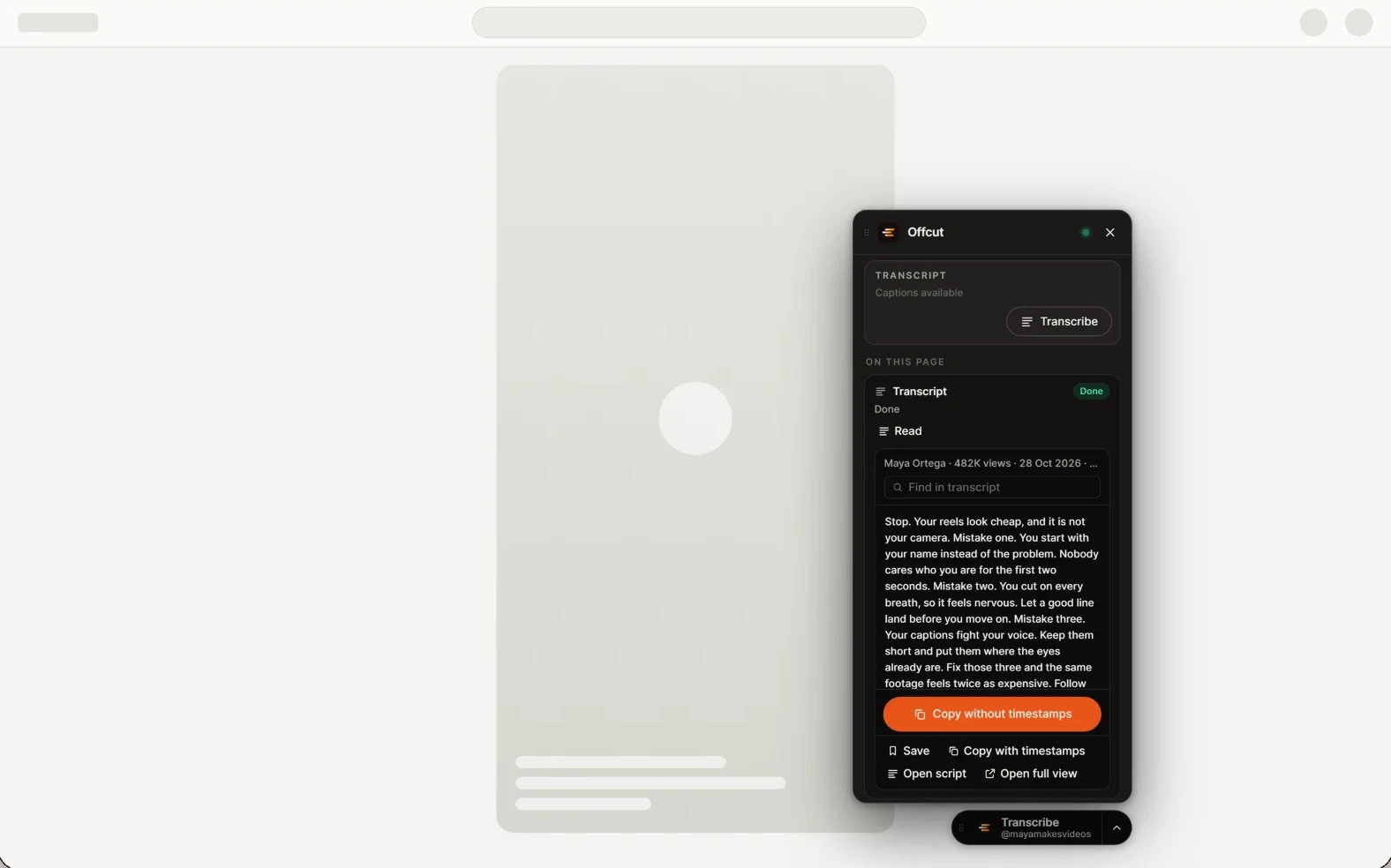 Instagram Reels
Save Instagram Reels for inspiration
Keep the reels you want to learn from in one place on your PC, with their scripts.
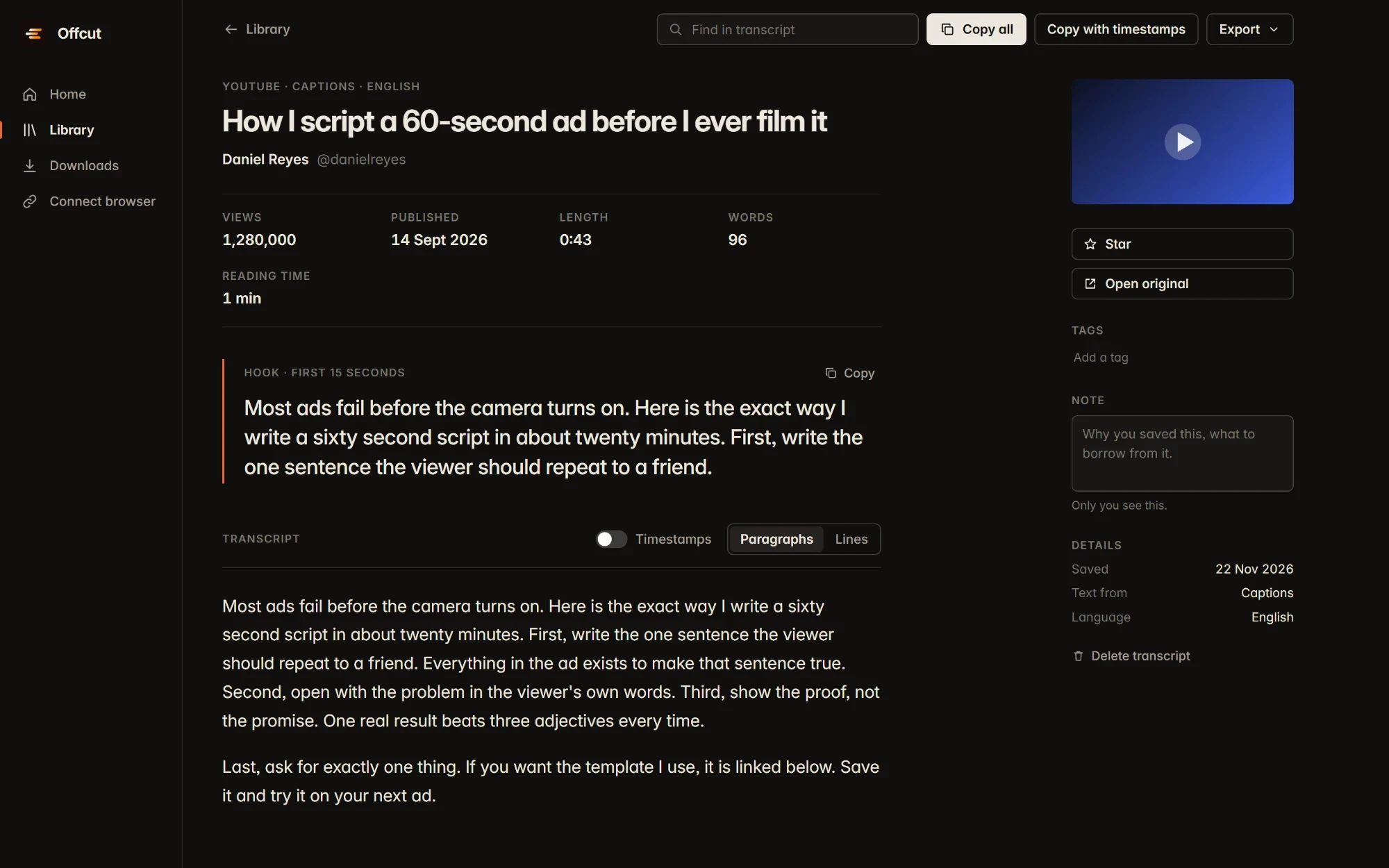 YouTube
Read any YouTube video's script
See the transcript laid out so you can read how the creator wrote it.
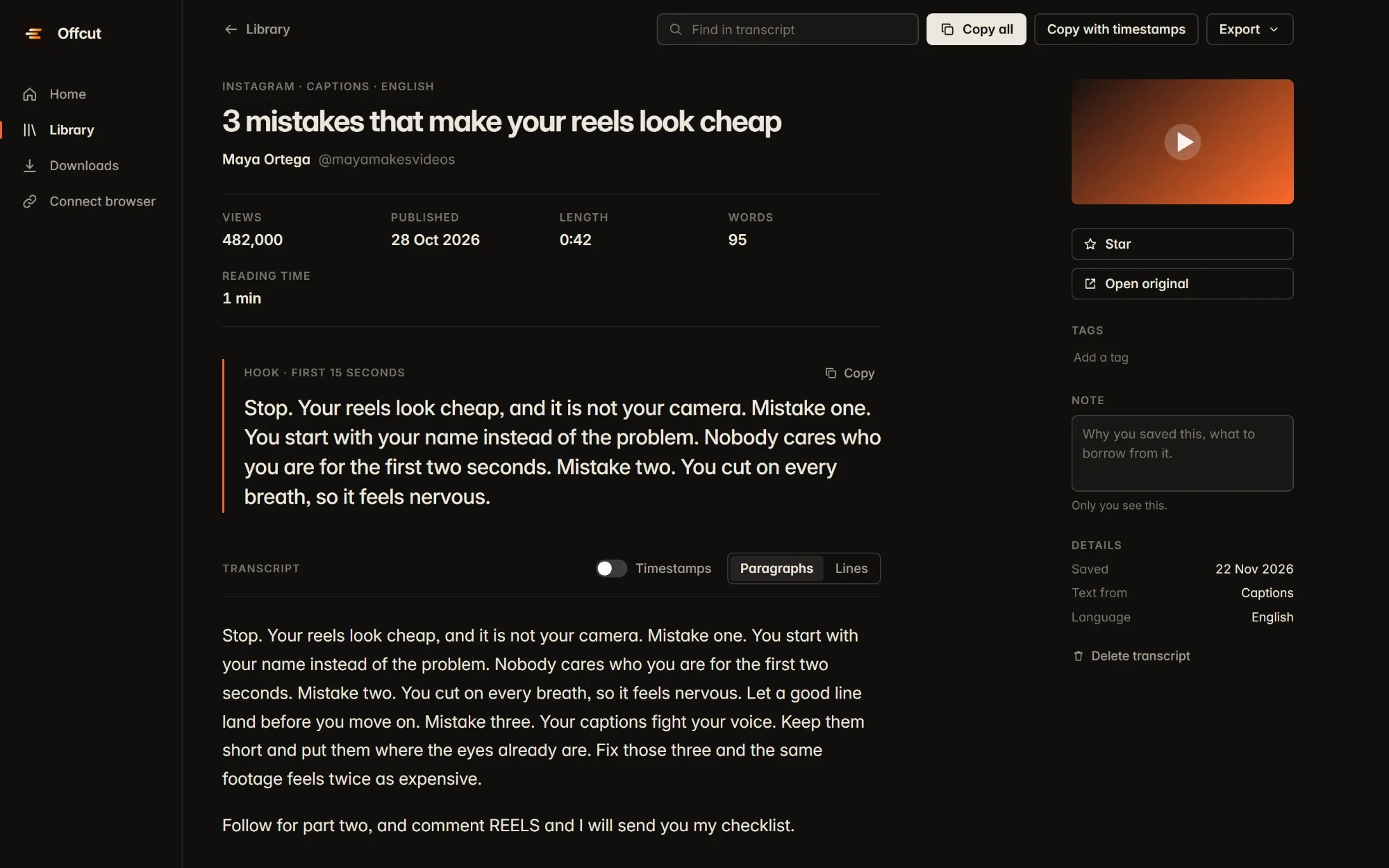 Hook, body, call to action
Learn from other creators' scripts
See each script split into hook, body and call to action.
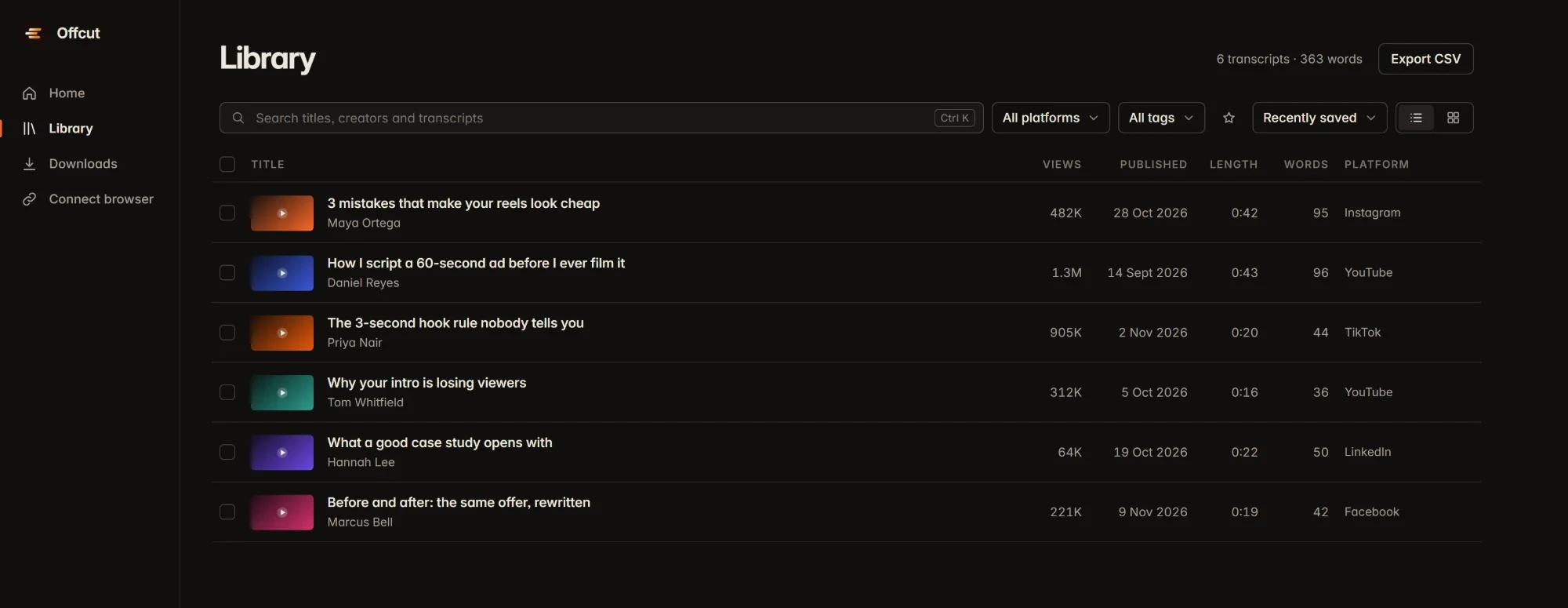 Your saved scripts
Teach your AI writer
Use your saved scripts as examples when you ask Claude, ChatGPT or your own writing agent to write scripts in a style you like.
Overview
What it does
For video editors, content creators and scriptwriters.
Saves the transcript of a video you choose, so you can read and reuse what was said.
Splits each saved script into hook, body and call to action, so you can see how it is built.
Keeps everything on your own PC.
Three parts
How it works
Offcut has three parts.
- Optional
Browser extension
An optional browser extension (Chrome, Edge or Brave) adds a Transcribe button on the video you are watching.
- Only when needed
Helper
A small helper starts only when you need it, for example to turn speech into text, and stops afterwards.
- Your scripts
App
The app is where you read and organise saved scripts.
Updates are signed.
Extension guideSetup
Install in three steps
Run the installer.
No admin rights needed and nothing else to install first.
If Windows shows "Windows protected your PC", click "More info", then "Run anyway".
It appears because the installer is not code-signed yet. You can check the file yourself first (see below).
Optional: add the browser extension.
It takes about a minute, once. Follow the extension guide.
Install it with Claude or another AI agent
The one-line instruction at the top of this page is all most agents need. If your assistant cannot open web pages, paste this full prompt instead. It downloads Offcut only from this page, checks the file against our SHA-256 before running it, and never touches your security settings.
Help me install Offcut, a free Windows app from EchoPulse Media, on this PC. Explain each step in plain words and ask me before anything that needs my click.

1. Read https://echopulse.media/resources/offcut/agent.md (plain text). It has the official download link, the SHA-256 checksum and the exact commands. Only use the download link from that file. If it says the download is not live yet, stop and tell me.
2. Check this PC: Windows 10 or 11, 64-bit, and at least 1 GB of free disk space.
3. Download the installer to my Downloads folder.
4. Verify it in PowerShell: Get-FileHash "<path to the installer>" -Algorithm SHA256. Compare the result with the checksum on the page. If they do not match exactly, stop, delete the file and tell me. Do not run it.
5. If it matches, run the installer. It does not need admin rights. If Windows shows "Windows protected your PC", tell me to click "More info" and then "Run anyway" (the installer is not code-signed yet).
6. Optional browser extension: walk me through https://echopulse.media/resources/offcut/extension one step at a time. Copy this folder path to my clipboard with Set-Clipboard and tell me when to paste it: %LOCALAPPDATA%\Programs\Offcut\extension
7. When done, tell me what was installed and where.

Rules: never disable antivirus, Windows Defender, SmartScreen or any other security setting; never download from any other website; never run anything except this installer; never change browser settings for me unless I ask.
Specs
What your PC needs
- System
- Windows 10 or 11, 64-bit
- Admin rights
- Not needed
- Download
- about 200 MB
- Disk space after install
- about 0.8 GB
- Speech model
- about 140 MB, downloaded once
- Memory while working
- About 50 MB for the helper, about 300 MB while turning speech into text
- Other software
- None to install first
Checksum
Check the file yourself
The SHA-256 checksum will be published here with the download, so you can confirm the file has not been changed.
SHA-256
Honest limits
Honest limits
- The installer is not code-signed yet, which is why Windows shows a warning.
- The browser extension has not yet been tested on every video site.
- We have not measured speech-to-text speed on a typical laptop yet, so we do not quote one.
- Windows only for now.
FAQ
Questions
Is Offcut really free?
Yes. It is a free tool from EchoPulse Media. There is no account, no trial and no payment.
Why does Windows show "Windows protected your PC"?
The installer is not code-signed yet, so Windows SmartScreen does not recognise the publisher and shows a warning. Click "More info", then "Run anyway". If you prefer to check the file first, compare its SHA-256 with the one on this page.
Does Offcut upload my videos or transcripts?
No. Everything stays on your PC. Only the transcripts you choose to save are kept.
Does it run in the background?
No. It adds no startup entry and nothing runs when it is idle. The helper starts only when you use it.
Is the hook, body and call to action split done by AI?
No. It uses simple, fixed rules, so the same script always gets the same breakdown.
Do I need the browser extension?
No, it is optional. The app works on its own. The extension adds a Transcribe button on the video you are watching, so you never paste a link.
How do I add the extension?
Open your browser's extensions page, turn on Developer mode, click Load unpacked and choose the Offcut extension folder. It takes about a minute, once. The full guide is at echopulse.media/resources/offcut/extension.
What is the "Disable developer mode extensions" message?
Chrome shows it at startup for any extension added with Developer mode, not just Offcut. Close it or click the X. Do not click Disable, or the extension turns off.
Can an AI agent install Offcut for me?
Yes. Copy the prompt in the "Install it with Claude or another AI agent" section into any assistant that can run commands on your PC. It downloads only from this page, checks the SHA-256 first and never changes security settings.
Who made Offcut?
EchoPulse Media, a small studio in Bhopal, India, founded by Lakshya Soni. We edit video, build websites and custom software for founders and small businesses.
Get an email when Offcut is ready
We will email you once, when the download is live. You can ask us to stop at any time.
The studio
Made by EchoPulse Media
We are a small studio that edits short-form and podcast video, builds fast websites and custom business software, and helps businesses get found on Google and in AI answers. Offcut is free to use.